









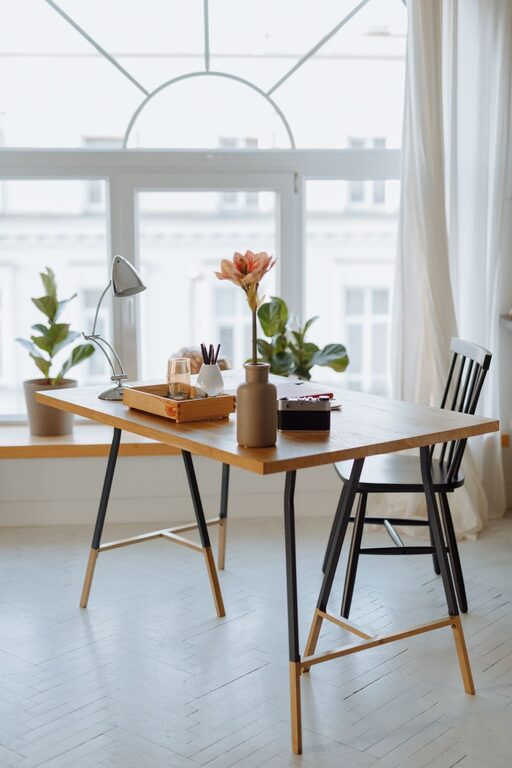
Creating a home workspace that is both cozy and functional can make a significant difference in your productivity and overall well-being. Whether you work remotely full-time or occasionally need a spot to tackle personal projects, having an organized and inviting area helps you focus and feel comfortable throughout the day. This guide offers practical tips to help you design a workspace that meets your needs and feels like a pleasant place to spend time.
Choose the Right Location
The first step in establishing a home workspace is selecting the best spot. Here are some factors to consider:
– Natural light: Pick a space near a window when possible. Natural light boosts mood, reduces eye strain, and keeps you alert.
– Quiet environment: Find a location where you can work with minimal distractions and noise.
– Adequate space: Ensure there’s enough room for your desk, chair, and any additional items like storage or equipment.
– Privacy: If Zoom meetings or phone calls are part of your routine, choose a spot where you won’t be easily interrupted.
Invest in Comfortable Furniture
Comfort is key to sustaining productivity. Your choices in furniture can greatly impact your work experience.
Desk
– Pick a desk size that fits your space but offers enough surface area for your computer, notebook, and other essentials.
– Consider adjustable desks that allow switching between sitting and standing positions to promote movement.
Chair
– Choose an ergonomic chair that supports your back and encourages proper posture.
– Look for adjustable height and lumbar support features.
– Add a cushion or footrest if needed for extra comfort.
Optimize Lighting
Good lighting reduces eye fatigue and improves focus.
– Combine natural light with adjustable artificial lighting.
– Use a desk lamp with adjustable brightness and color temperature.
– Avoid glare on computer screens by positioning lights carefully.
Organize Efficiently
Clutter can hamper focus and productivity. Implement organizational tools to keep your workspace tidy.
Storage Solutions
– Use shelves, drawers, or filing cabinets to keep documents and supplies organized.
– Utilize desk organizers for pens, paper clips, and small items.
Cable Management
– Use cable clips, sleeves, or under-desk trays to keep cords out of sight.
– Label chargers and cables to avoid confusion.
Personalize Your Space
Adding personal touches can make your workspace more inviting and boost your mood.
– Display a few favorite photos or plants to add warmth.
– Use colors that calm and inspire you — soft blues and greens are popular choices.
– Incorporate comfortable textiles like a cozy throw blanket or a soft rug.
Incorporate Technology Thoughtfully
Having the right technology makes work smoother without overwhelming your space.
– Invest in reliable, high-speed internet for seamless virtual interactions.
– Use a quality monitor, keyboard, and mouse for comfort.
– Consider a noise-canceling headset if your environment is noisy.
– Keep tech accessories organized and within reach.
Set Boundaries and Create Routine
To fully benefit from your workspace, it’s important to set clear boundaries:
– Define your work hours to separate professional time from personal time.
– Inform others in your home about your workspace rules.
– Take regular breaks and stretch to avoid fatigue.
Keep It Clean
A clean workspace helps maintain a clear mind.
– Develop a daily or weekly routine for tidying up.
– Disinfect surfaces regularly, especially if you share the space.
– Remove items unrelated to work to keep distractions low.
Final Thoughts
Designing a cozy and functional home workspace doesn’t require a complete overhaul. With thoughtful choices about location, furniture, lighting, and organization, you can create an environment that supports your productivity and well-being. Remember, your workspace should reflect your needs and preferences to help you perform at your best each day.